Is the R6 Marketplace Your Fastest Route to Rare Siege Skins?
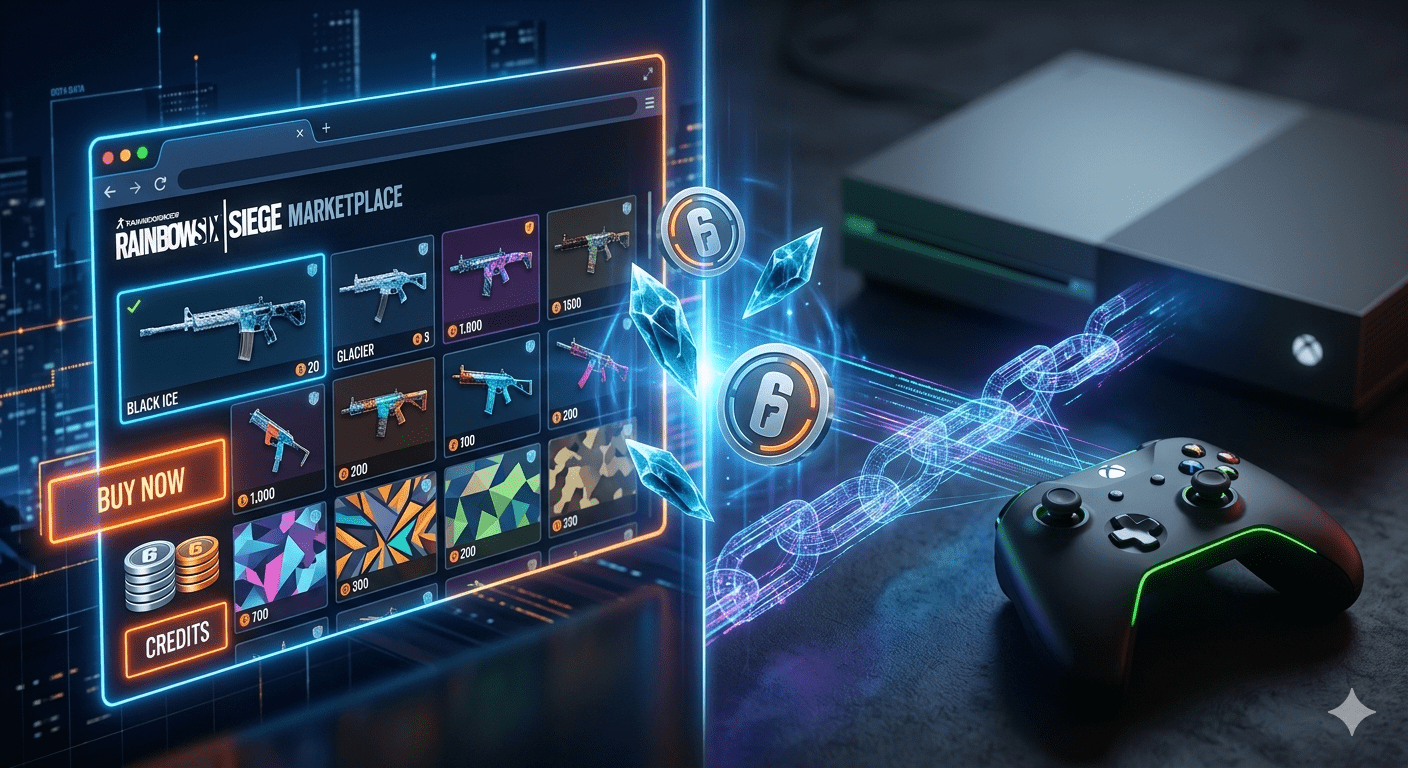
You spot a Black Ice skin you’ve chased for years. It appears on the Ubisoft R6 Marketplace at a fair price, yet hesitation strikes. What if the service crashes mid-transaction? What if the Xbox login fails? Every second of doubt lets another trader snatch that item. Act now. Master the official Rainbow Six Siege marketplace, secure your dream cosmetics, and never lose a deal again. This guide hands you the exact steps.
How the Official Ubisoft R6 Marketplace Works
Ubisoft launched the R6 Marketplace as a web-based platform where players buy and sell in-game cosmetic items using R6 Credits. The system pulls from your Siege inventory and lets you list duplicate or unwanted skins, charms, and uniforms. Other players browse active listings, purchase instantly, and receive the item directly in their account. You do not need to have the game open. All transactions happen through the dedicated website.
The marketplace uses a peer-to-peer model managed entirely by Ubisoft. A 10% transaction fee applies to each sale, deducted from the seller’s earnings. Buyers pay the listed price plus no extra charges. The platform gives you a safe, official alternative to risky third-party trading. You keep full control over your inventory.
- Buy and sell using R6 Credits only.
- Trade weapon skins, headgear, uniforms, and charms.
- Access via browser on PC, mobile, or console.
- Instant delivery to your Ubisoft account.
R6 Marketplace Xbox: Complete Setup and Access Steps
Xbox players often ask “Does the R6 Marketplace Xbox work natively?” The answer is yes, but you need to link accounts correctly. The marketplace is not a console app. You access it through a web browser on your Xbox or any device. First, ensure your Xbox gamertag is linked to your Ubisoft account. Visit the Ubisoft account management page, check the connections tab, and confirm the Xbox logo appears. If the link is missing or broken, the marketplace won’t display your console inventory.
Open the Microsoft Edge browser on your Xbox, navigate to the official Ubisoft R6 Marketplace site, and sign in. Your Xbox skins and credits will sync. You can place buy orders, list items, and check sale history right from the console browser. The interface scales well to TV screens. Trading on Xbox feels smooth once you log in.
- Link Xbox gamertag to Ubisoft account first.
- Use the Edge browser on your console.
- Sign in at the official marketplace URL.
- Manage listings directly from Xbox.
R6 Marketplace Down? Quick Status Checks and Fixes
Seeing “R6 Marketplace down” messages frustrates every trader. Downtime usually stems from scheduled maintenance, sudden traffic spikes after new skin drops, or authentication server hiccups. Ubisoft rarely shuts down the marketplace without notice. Before you panic, run a fast personal diagnostic. Check the official Ubisoft Support Twitter account or the Rainbow Six Siege server status page. Third-party sites like Downdetector also aggregate user reports in real time.
If servers show operational, the issue likely lives on your side. Clear your browser cache and cookies. Try a different browser or switch from Wi-Fi to mobile data. Log out of your Ubisoft account completely, then log back in. Sometimes the login token expires and blocks marketplace access. These steps solve the majority of “R6 Marketplace.” loading errors that players encounter on PC and console.
- Check Ubisoft Support social channels.
- Visit the official server status page.
- Clear browser cache and cookies.
- Log out and back into your Ubisoft account.
When Is R6 Marketplace Coming Back After Maintenance?
The question “When is R6 Marketplace coming back” spikes during every extended downtime. Ubisoft follows a predictable pattern. Routine maintenance happens on Tuesdays, usually between 9 AM and 1 PM UTC. During these windows, the marketplace goes offline completely. An in-game banner and a notice on the marketplace website announce the schedule. For emergency fixes, the downtime rarely exceeds three hours.
The longest marketplace closure occurred during the beta migration phase. Now the system is stable, and outages last under two hours in most cases. Bookmark the official @Rainbow6Game Twitter handle. Turn on notifications. The team posts a “maintenance complete” message the moment trading resumes. Immediately after it returns, some rare skins appear at lower prices as sellers rush to list. You can grab deals by monitoring the exact uptime announcement.
- Routine maintenance on Tuesdays.
- Emergency fixes typically under 3 hours.
- Follow @Rainbow6Game for live updates.
- Price drops often hit right after reopening.
How to Buy Items on the R6 Marketplace Without Mistakes
Buying on the Ubisoft R6 Marketplace takes under a minute if you prepare. First, log in and ensure you have enough R6 Credits. Convert real money to credits through the Ubisoft Store or in-game shop if needed. Next, use the search bar and filters to find a specific skin. The system lets you sort by price, rarity, or item type. Found the one you want? Hit the “Buy” button. The system deducts credits instantly and delivers the item to your inventory.
Never rush. Double-check the item name, rarity, and weapon type before confirming. Bought items are non-refundable. Also, watch the price history graph. It shows whether the current price sits above or below the average. Use the “Wishlist” feature to track items and wait for price dips. Patience saves credits.
- Fund your account with R6 Credits first.
- Use filters to pinpoint exact skins.
- Review price history before purchase.
- Wishlist items to monitor price changes.
Selling Skins on the R6 Marketplace for Fast Credits
Selling duplicates clears inventory clutter and builds your credit balance. Go to the “Sell” tab after logging in. The site displays all tradeable items from your linked account. Click on any skin, set your asking price, and list it. The marketplace shows a suggested price range based on recent sales. Price your item competitively if you want a quick sale. Overpricing leaves it buried under thousands of active offers.
Ubisoft holds sold credits for 15 days before you can spend or withdraw them. This security hold protects against fraud. You can track your pending balance in the transaction history. During the hold period, the credits remain visible but locked. After 15 days, they automatically move to your available balance. Ship nothing, coordinate with no one. The system handles everything.
- List duplicates from the “Sell” tab.
- Set price near recent sale averages.
- 15-day security hold on all sale credits.
- Monitor locked credits in transaction history.
R6 Marketplace Prices: How Value Fluctuates Daily
Skin values on the R6 Marketplace shift based on rarity, demand, and hype cycles. A Glacier skin commands a high price; a common seasonal headgear sells for a few credits. Ubisoft’s marketplace data reveals that new Battle Pass releases often drop older skin prices as attention shifts. Conversely, when a popular streamer features a specific skin, demand spikes within hours.
Weapon skins from older seasons, especially those from Year 1 and Year 2, hold value due to limited supply. Esports team skins fluctuate during major tournaments. The marketplace includes a 30-day price history chart for every item. Study this chart before buying or selling. List items when demand peaks. Buy during lulls when prices dip.
- Rarity and age drive base price.
- Streamer features spike demand fast.
- New Battle Passes reduce old skin prices.
- Use 30-day price charts to time trades.
Ubisoft R6 Marketplace Security and Scam Prevention
Using the official R6 Marketplace eliminates trade scams common on social platforms. Ubisoft handles the entire transaction. You never share login details with another person. The site relies on your Ubisoft account credentials and two-factor authentication. Enable 2FA through the Ubisoft Account Security page immediately. This step stops unauthorized marketplace access even if someone guesses your password.
Ignore any offer to trade outside the marketplace. Messages promising “cheaper credits” or “direct PayPal deals” are fraud attempts. You risk losing your account permanently. Ubisoft bans users who conduct off-platform real-money trades. The official marketplace remains the only safe space to convert duplicate skins into credits and acquire new ones.
- Never share Ubisoft login details.
- Activate two-factor authentication.
- All transactions happen through Ubisoft.
- Avoid off-platform trade offers completely.
Common R6 Marketplace Errors and How to Solve Them
Error codes interrupt smooth trading. “Transaction Failed” often means your payment method for credit purchases needs updating. “Item Not Delivered” usually resolves by restarting the game and checking your inventory from the main menu. The “Login Loop” error, where the site repeatedly asks for credentials, stems from corrupted browser data. Clear site data for the Ubisoft domain specifically and try again.
A less common “Region Mismatch” error appears when your Ubisoft account region does not match your current location. Contact Ubisoft Support directly with your account details to fix this. Do not use a VPN while accessing the marketplace; it triggers security flags that may temporarily lock your buying and selling privileges. Solve most issues without waiting for support by following these exact steps.
- Update payment method for failed credit purchases.
- Restart game to trigger item delivery.
- Clear Ubisoft-specific browser data.
- Disable VPN before accessing marketplace.
Tracking Your R6 Marketplace Sale History and Balance
Every trade leaves a paper trail. The marketplace dashboard includes a “Transaction History” section. You see the date, item sold, price, and the Ubisoft fee deducted. Use this log to track monthly earnings and spot listing errors. The data exports as a CSV file if you need offline records.
Your credit balance splits into “Available” and “Pending.” Pending credits come from sales still within the 15-day hold. You can use available credits immediately for new purchases. The system updates balances in real time after each completed sale. Check the balance before placing a high-value buy order to avoid insufficient fund cancelations.
- View detailed logs in Transaction History.
- Export CSV for offline tracking.
- Pending balance held for 15 days.
- Confirm available credits before buying.
R6 Marketplace vs. Third-Party Trading: Why Official Wins
A quick comparison highlights the official marketplace advantage. The table below breaks down the key differences.
| Feature | Official R6 Marketplace | Third-Party Trading |
|---|---|---|
| Security | Ubisoft-secured, no login sharing | High scam risk, account theft common |
| Fees | 10% seller fee | Varies, often hidden or higher |
| Delivery | Instant to inventory | Delayed, manual coordination |
| Item Authenticity | Guaranteed | Duplicated or stolen items possible |
| Account Safety | Compliant with ToS | Permanent ban risk |
| Payment Method | R6 Credits only | Cash, crypto, unsecured transfers |
The official platform wins on safety, speed, and reliability. You protect your account and your skins.
Frequently Asked Questions
What exactly is the R6 Marketplace?
The R6 Marketplace is Ubisoft’s official website where Rainbow Six Siege players buy and sell cosmetic items using R6 Credits. It connects your game inventory directly to a trading platform.
Can I access the R6 Marketplace on my Xbox console?
Yes. Open the Microsoft Edge browser on your Xbox, go to the Ubisoft R6 Marketplace site, and sign in. Make sure your Xbox gamertag is linked to your Ubisoft account.
Why is the R6 Marketplace down right now?
The R6 Marketplace may be down for scheduled maintenance every Tuesday, or due to an unexpected server issue. Check the official Rainbow Six Siege server status page or Ubisoft Support Twitter for live updates.
When is the R6 Marketplace coming back online?
After routine maintenance, the R6 Marketplace returns within 2-3 hours, typically by 1 PM UTC on Tuesdays. Emergency fixes bring it back faster. Ubisoft posts completion notices on social media.
How long does it take to receive credits from a sale?
Sold item credits enter a 15-day pending hold. After the holding period, credits move to your available balance automatically. The buyer receives the item instantly.
Do I lose my skins if the R6 Marketplace goes offline?
Never. Your inventory stays safe in your Ubisoft account. Downtime only pauses trading. All your skins, credits, and transaction history remain intact.
Start Trading on the R6 Marketplace with Total Confidence
The R6 Marketplace turns your unused skins into valuable credits. Login loops, Xbox access confusion, and maintenance downtime cannot stop you now. You have the exact steps to buy, sell, and troubleshoot instantly. No third-party risks. No guesswork.
Open your browser right now. Log into the Ubisoft R6 Marketplace. List that duplicate Black Ice collecting virtual dust. Place a buy order for the one skin missing from your collection. Every moment you wait, another trader gets the deal. Your next favorite Siege cosmetic waits on the marketplace. Go claim it.